Free
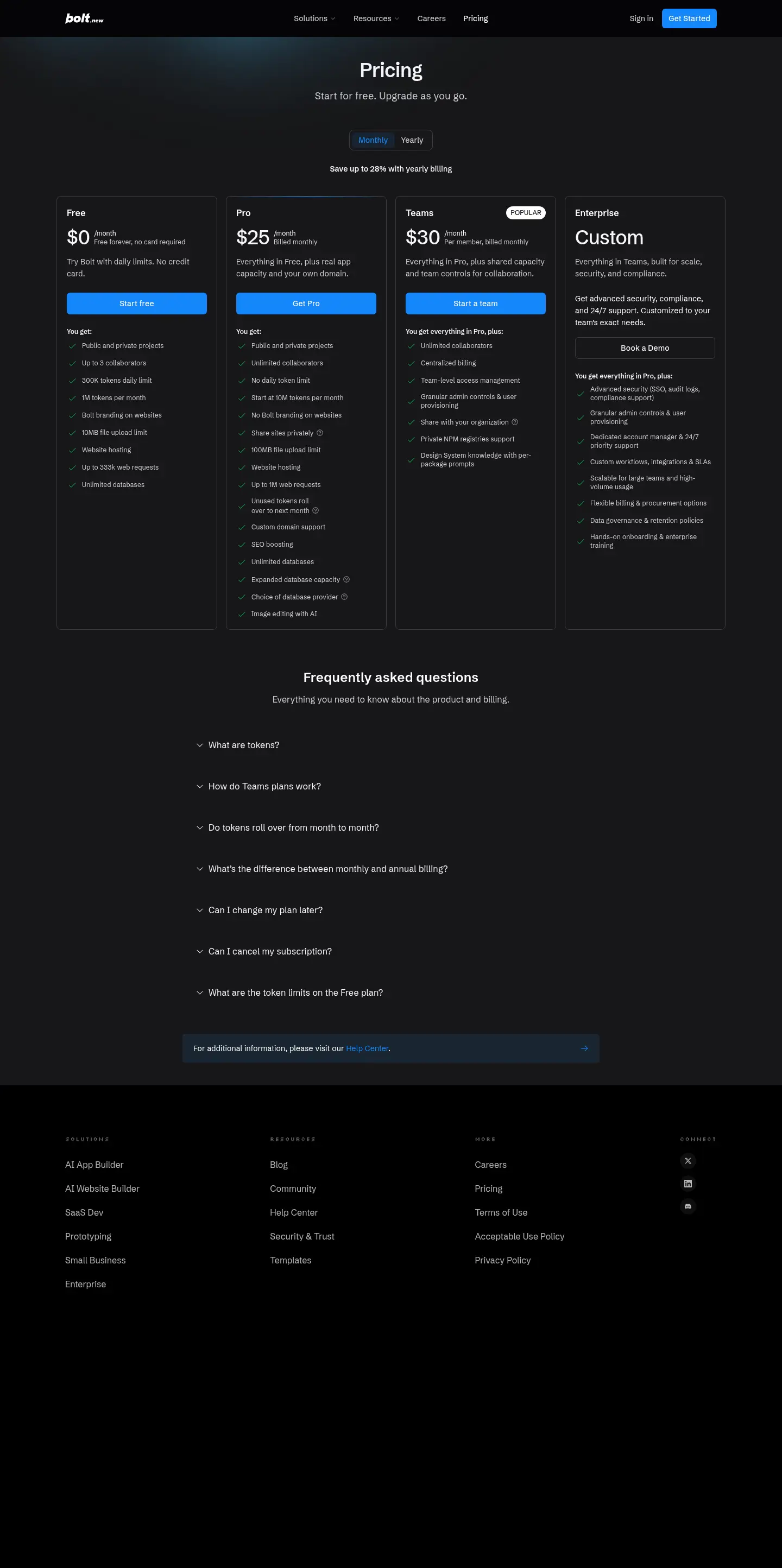
$0
No price change · limits changed Nov 17
- CollaboratorsUp to 3
- Tokens daily limit300K
- Tokens per month1M
- File upload limit10MB
- Web requestsUp to 333k
- DatabasesUnlimited

Verdict · Coding · by StackBlitz
The free plan is powerful enough for most light users, but paying unlocks unlimited tokens and team features.
Start on the free plan first. The button opens bolt.new through shouldipay.ai/go/bolt. It may be an affiliate link: we may earn a commission. Commissions never decide a verdict: the evidence on this page does. Disclosure
Personal
No price change · limits changed Nov 17
No price change · limits changed Nov 17
"If you are a casual user or building small prototypes, the free plan is likely sufficient." Bottom line
9.7/10
Free tier, average of 8 tasks
Free tier: run by hand in the product's own web app on the Bolt Free plan by our editor on Sep 29, 2026 (free tier); the app showed the model Bolt 'Standard' mode (the default).
We only publish paid-tier scores from access we actually have (our own subscription, a trial or access given by the vendor), and we have no paid-tier results for Bolt yet. So this page cannot show what paying changes in answer quality; the verdict relies on the plans and, where we have them, user reports for that.
Score = 50% quality (AI judges) + 50% automatic checks passed
Each task below opens to show the prompt, the objective checks and the full answer of each tier.
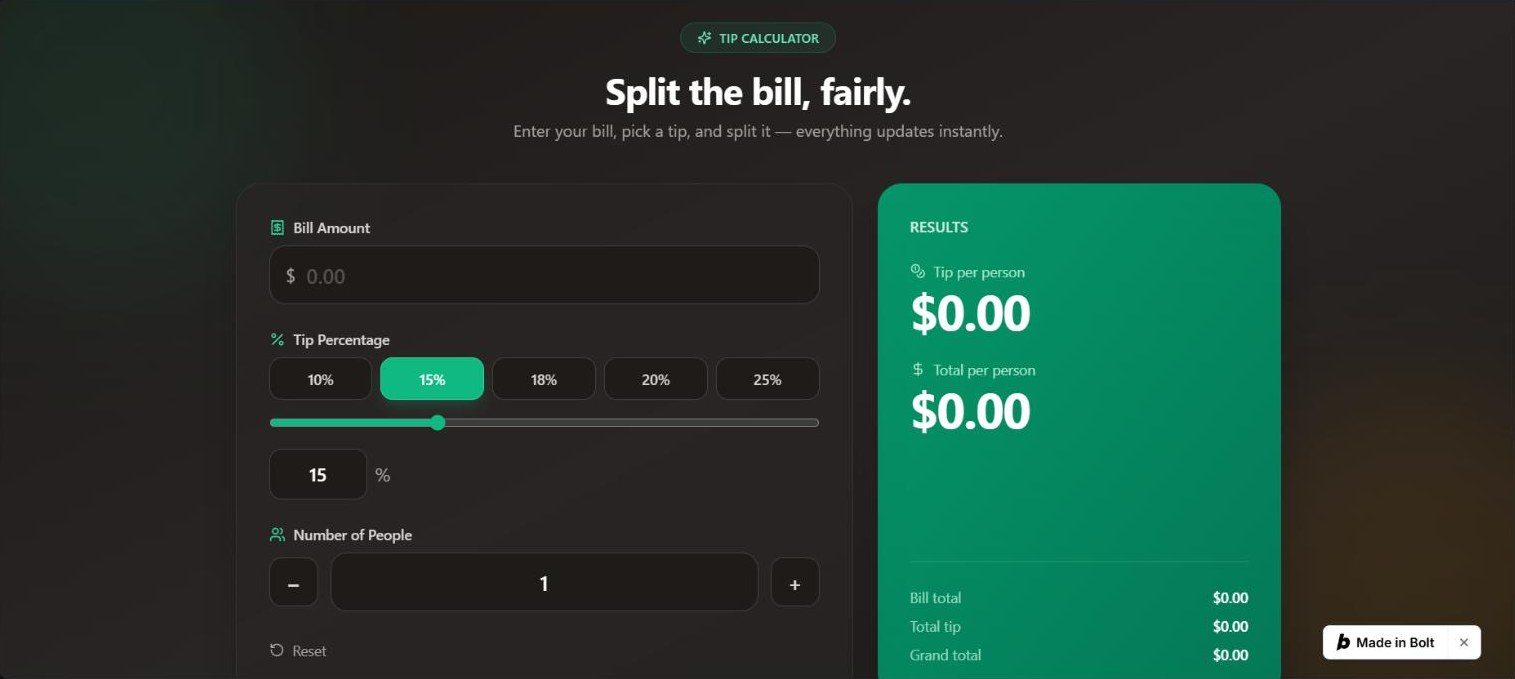
Build a single-page tip calculator. Inputs: bill amount, tip percentage (default 15) and number of people (default 1). Show the tip per person and the total per person, rounded to 2 decimals, updating as the user types. Handle bad input without showing NaN or Infinity. No login, no backend, no external services.
// src/App.tsx
import { useMemo, useState } from 'react';
import {
Receipt,
Users,
Percent,
RotateCcw,
DollarSign,
Coins,
Sparkles,
} from 'lucide-react';
const TIP_PRESETS = [10, 15, 18, 20, 25];
function parseAmount(raw: string): number {
const cleaned = raw.replace(/[^0-9.]/g, '');
if (cleaned === '' || cleaned === '.') return 0;
const n = parseFloat(cleaned);
return Number.isFinite(n) ? n : 0;
}
function parsePeople(raw: string): number {
const cleaned = raw.replace(/[^0-9]/g, '');
if (cleaned === '') return 0;
const n = parseInt(cleaned, 10);
return Number.isFinite(n) ? n : 0;
}
function formatCurrency(n: number): string {
return n.toLocaleString('en-US', {
style: 'currency',
currency: 'USD',
minimumFractionDigits: 2,
maximumFractionDigits: 2,
});
}
export default function App() {
const [billRaw, setBillRaw] = useState('');
const [tipPercent, setTipPercent] = useState(15);
const [tipRaw, setTipRaw] = useState('15');
const [peopleRaw, setPeopleRaw] = useState('1');
const { tipPerPerson, totalPerPerson, bill, people, isValid } = useMemo(() => {
const billVal = parseAmount(billRaw);
const peopleVal = parsePeople(peopleRaw);
const valid = billVal > 0 && peopleVal > 0;
const tipAmount = billVal * (tipPercent / 100);
const tp = valid ? tipAmount / peopleVal : 0;
const total = valid ? (billVal + tipAmount) / peopleVal : 0;
return {
tipPerPerson: Number.isFinite(tp) ? tp : 0,
totalPerPerson: Number.isFinite(total) ? total : 0,
bill: billVal,
people: peopleVal,
isValid: valid,
};
}, [billRaw, tipPercent, peopleRaw]);
function handleTipInput(raw: string) {
setTipRaw(raw);
const n = parseAmount(raw);
if (n >= 0 && n <= 100) setTipPercent(n);
}
function handlePreset(p: number) {
setTipPercent(p);
setTipRaw(String(p));
}
function reset() {
setBillRaw('');
setTipPercent(15);
setTipRaw('15');
setPeopleRaw('1');
}
return (
<div className="min-h-screen bg-gradient-to-br from-stone-900 via-stone-800 to-stone-900 text-stone-100 flex items-center justify-center p-4 sm:p-6">
{/* ambient glow */}
<div className="pointer-events-none fixed inset-0 overflow-hidden">
<div className="absolute -top-24 -left-24 w-96 h-96 rounded-full bg-emerald-500/10 blur-3xl" />
<div className="absolute -bottom-24 -right-24 w-96 h-96 rounded-full bg-amber-500/10 blur-3xl" />
</div>
  <main className="relative w-full max-w-5xl">
    {/* header */}
    <header className="text-center mb-8 sm:mb-10">
      <div className="inline-flex items-center gap-2 px-4 py-1.5 rounded-full bg-emerald-500/10 border border-emerald-400/20 text-emerald-300 text-xs font-medium tracking-wide uppercase mb-4">
        <Sparkles size={14} />
        Tip Calculator
      </div>
      <h1 className="text-3xl sm:text-4xl font-bold tracking-tight text-white">
        Split the bill, fairly.
      </h1>
      <p className="mt-2 text-stone-400 text-sm sm:text-base">
        Enter your bill, pick a tip, and split it — everything updates instantly.
      </p>
    </header>

    <div className="grid lg:grid-cols-5 gap-6">
      {/* inputs card */}
      <section className="lg:col-span-3 bg-stone-800/60 backdrop-blur-sm rounded-3xl border border-stone-700/50 p-6 sm:p-8 shadow-2xl">
        {/* bill */}
        <label className="block">
          <span className="flex items-center gap-2 text-stone-300 text-sm font-medium mb-2">
            <Receipt size={16} className="text-emerald-400" />
            Bill Amount
          </span>
          <div className="relative">
            <span className="absolute left-4 top-1/2 -translate-y-1/2 text-stone-400 text-lg">
              $
            </span>
            <input
              type="text"
              inputMode="decimal"
              value={billRaw}
              onChange={(e) => setBillRaw(e.target.value)}
              placeholder="0.00"
              className="w-full pl-9 pr-4 py-3.5 bg-stone-900/80 rounded-2xl border border-stone-700 focus:border-emerald-400 focus:ring-2 focus:ring-emerald-400/30 outline-none text-xl font-semibold text-white transition-all placeholder:text-stone-600"
            />
          </div>
        </label>

        {/* tip */}
        <div className="mt-6">
          <span className="flex items-center gap-2 text-stone-300 text-sm font-medium mb-2">
            <Percent size={16} className="text-emerald-400" />
            Tip Percentage
          </span>
          <div className="grid grid-cols-5 gap-2 mb-3">
            {TIP_PRESETS.map((p) => {
              const active = tipPercent === p;
              return (
                <button
                  key={p}
                  onClick={() => handlePreset(p)}
                  className={`py-2.5 rounded-xl text-sm font-semibold border transition-all ${
                    active
                      ? 'bg-emerald-500 border-emerald-400 text-white shadow-lg shadow-emerald-500/20'
                      : 'bg-stone-900/80 border-stone-700 text-stone-300 hover:border-emerald-400/50 hover:text-emerald-300'
                  }`}
                >
                  {p}%
                </button>
              );
            })}
          </div>
          <div className="relative">
            <input
              type="range"
              min={0}
              max={50}
              step={1}
              value={Math.min(tipPercent, 50)}
              onChange={(e) => handlePreset(Number(e.target.value))}
              className="w-full accent-emerald-500 cursor-pointer"
            />
            <div className="flex items-center gap-2 mt-3">
              <input
                type="text"
                inputMode="decimal"
                value={tipRaw}
                onChange={(e) => handleTipInput(e.target.value)}
                placeholder="15"
                className="w-24 px-4 py-2.5 bg-stone-900/80 rounded-xl border border-stone-700 focus:border-emerald-400 focus:ring-2 focus:ring-emerald-400/30 outline-none text-lg font-semibold text-white text-center transition-all placeholder:text-stone-600"
              />
              <span className="text-stone-400 text-lg">%</span>
            </div>
          </div>
        </div>

        {/* people */}
        <label className="block mt-6">
          <span className="flex items-center gap-2 text-stone-300 text-sm font-medium mb-2">
            <Users size={16} className="text-emerald-400" />
            Number of People
          </span>
          <div className="flex items-center gap-3">
            <button
              onClick={() => {
                const n = Math.max(1, parsePeople(peopleRaw) - 1);
                setPeopleRaw(String(n));
              }}
              className="shrink-0 w-12 h-12 rounded-xl bg-stone-900/80 border border-stone-700 text-stone-300 hover:border-emerald-400/50 hover:text-emerald-300 text-xl font-bold flex items-center justify-center transition-all"
              aria-label="Decrease people"
            >
              –
            </button>
            <input
              type="text"
              inputMode="numeric"
              value={peopleRaw}
              onChange={(e) => setPeopleRaw(e.target.value)}
              placeholder="1"
              className="flex-1 px-4 py-3.5 bg-stone-900/80 rounded-2xl border border-stone-700 focus:border-emerald-400 focus:ring-2 focus:ring-emerald-400/30 outline-none text-xl font-semibold text-white text-center transition-all placeholder:text-stone-600"
            />
            <button
              onClick={() => {
                const n = parsePeople(peopleRaw) + 1;
                setPeopleRaw(String(n));
              }}
              className="shrink-0 w-12 h-12 rounded-xl bg-stone-900/80 border border-stone-700 text-stone-300 hover:border-emerald-400/50 hover:text-emerald-300 text-xl font-bold flex items-center justify-center transition-all"
              aria-label="Increase people"
            >
              +
            </button>
          </div>
        </label>

        <button
          onClick={reset}
          className="mt-7 inline-flex items-center gap-2 text-sm text-stone-400 hover:text-emerald-300 transition-colors"
        >
          <RotateCcw size={15} />
          Reset
        </button>
      </section>

      {/* results card */}
      <section className="lg:col-span-2 bg-gradient-to-br from-emerald-600 to-emerald-700 rounded-3xl p-6 sm:p-8 shadow-2xl flex flex-col">
        <h2 className="text-white/80 text-sm font-medium uppercase tracking-wide mb-6">
          Results
        </h2>

        {/* tip per person */}
        <div className="mb-6">
          <div className="flex items-center gap-2 text-emerald-100/80 text-sm mb-1">
            <Coins size={15} />
            Tip per person
          </div>
          <div className="text-4xl sm:text-5xl font-bold text-white tracking-tight">
            {formatCurrency(tipPerPerson)}
          </div>
        </div>

        {/* total per person */}
        <div className="mb-6">
          <div className="flex items-center gap-2 text-emerald-100/80 text-sm mb-1">
            <DollarSign size={15} />
            Total per person
          </div>
          <div className="text-4xl sm:text-5xl font-bold text-white tracking-tight">
            {formatCurrency(totalPerPerson)}
          </div>
        </div>

        <div className="mt-auto pt-6 border-t border-white/15 space-y-2">
          <div className="flex justify-between text-sm">
            <span className="text-emerald-100/70">Bill total</span>
            <span className="text-white font-semibold">
              {formatCurrency(bill)}
            </span>
          </div>
          <div className="flex justify-between text-sm">
            <span className="text-emerald-100/70">Total tip</span>
            <span className="text-white font-semibold">
              {formatCurrency(bill * (tipPercent / 100))}
            </span>
          </div>
          <div className="flex justify-between text-sm">
            <span className="text-emerald-100/70">Grand total</span>
            <span className="text-white font-semibold">
              {formatCurrency(bill + bill * (tipPercent / 100))}
            </span>
          </div>
        </div>

        {!isValid && (bill > 0 || people === 0) && (
          <p className="mt-4 text-amber-200/90 text-xs text-center bg-amber-950/30 rounded-lg py-2 px-3 border border-amber-400/20">
            {bill <= 0
              ? 'Enter a bill amount to see results.'
              : 'Enter at least one person to split the bill.'}
          </p>
        )}
      </section>
    </div>

    <footer className="text-center mt-8 text-stone-500 text-xs">
      Tip amounts round to the nearest cent.
    </footer>
  </main>
</div>
);
}
Build a to-do list app. The user can add an item (ignore empty input), mark an item done or not done, and delete an item. Done items look visibly different. The list is saved in the browser (localStorage) and is still there after a reload. No login, no backend, no external services.
// NOTE: Bolt keeps only the latest files; this is the project's App.tsx after the continue-todo change (the first version's code could not be viewed).
// src/App.tsx (after the change)
import { useState, useEffect } from 'react';
import { Check, Trash2, Plus, ListTodo } from 'lucide-react';
type Todo = {
id: string;
text: string;
done: boolean;
createdAt: number;
};
const STORAGE_KEY = 'bolt-todos';
function loadTodos(): Todo[] {
try {
const raw = localStorage.getItem(STORAGE_KEY);
if (!raw) return [];
const parsed = JSON.parse(raw) as Todo[];
if (!Array.isArray(parsed)) return [];
return parsed;
} catch {
return [];
}
}
export default function App() {
const [todos, setTodos] = useState<Todo[]>(() => loadTodos());
const [input, setInput] = useState('');
useEffect(() => {
localStorage.setItem(STORAGE_KEY, JSON.stringify(todos));
}, [todos]);
const addTodo = () => {
const text = input.trim();
if (!text) return;
const newTodo: Todo = {
id: crypto.randomUUID(),
text,
done: false,
createdAt: Date.now(),
};
setTodos((prev) => [newTodo, ...prev]);
setInput('');
};
const toggleTodo = (id: string) => {
setTodos((prev) =>
prev.map((t) => (t.id === id ? { ...t, done: !t.done } : t))
);
};
const deleteTodo = (id: string) => {
setTodos((prev) => prev.filter((t) => t.id !== id));
};
const [filter, setFilter] = useState<'all' | 'active' | 'done'>('all');
const remaining = todos.filter((t) => !t.done).length;
const completed = todos.length - remaining;
const filtered = todos.filter((t) =>
filter === 'all' ? true : filter === 'active' ? !t.done : t.done
);
return (
<div className="min-h-screen bg-gradient-to-br from-slate-50 via-blue-50 to-slate-100 text-slate-800">
<div className="mx-auto max-w-xl px-5 py-12 sm:py-20">
{/* Header */}
<header className="mb-8 text-center">
<div className="mb-4 inline-flex h-16 w-16 items-center justify-center rounded-2xl bg-gradient-to-br from-blue-500 to-cyan-500 shadow-lg shadow-blue-500/30">
<ListTodo className="h-8 w-8 text-white" strokeWidth={2.5} />
</div>
<h1 className="text-3xl font-bold tracking-tight text-slate-900 sm:text-4xl">
My Tasks
</h1>
<p className="mt-2 text-slate-500">
Stay organized, one task at a time.
</p>
</header>
    {/* Filter + counter bar */}
    {todos.length > 0 && (
      <div className="mb-6 flex flex-col items-center justify-between gap-3 rounded-xl border border-slate-200 bg-white px-4 py-3 shadow-sm sm:flex-row">
        <span className="text-sm font-medium text-slate-500">
          {remaining} {remaining === 1 ? 'item' : 'items'} left
        </span>
        <div className="inline-flex rounded-lg bg-slate-100 p-1">
          {(['all', 'active', 'done'] as const).map((f) => (
            <button
              key={f}
              onClick={() => setFilter(f)}
              className={`rounded-md px-3 py-1 text-sm font-medium capitalize transition ${
                filter === f
                  ? 'bg-white text-blue-600 shadow-sm'
                  : 'text-slate-500 hover:text-slate-700'
              }`}
            >
              {f}
            </button>
          ))}
        </div>
        <span className="hidden text-sm font-medium text-emerald-600 sm:inline">
          {completed} done
        </span>
      </div>
    )}

    {/* Add task */}
    <div className="mb-6 flex gap-2">
      <input
        type="text"
        value={input}
        onChange={(e) => setInput(e.target.value)}
        onKeyDown={(e) => {
          if (e.key === 'Enter') addTodo();
        }}
        placeholder="What needs to be done?"
        className="flex-1 rounded-xl border border-slate-200 bg-white px-4 py-3 text-base shadow-sm outline-none transition focus:border-blue-400 focus:ring-2 focus:ring-blue-100"
      />
      <button
        onClick={addTodo}
        className="inline-flex items-center gap-1.5 rounded-xl bg-gradient-to-br from-blue-500 to-cyan-500 px-5 py-3 font-semibold text-white shadow-md shadow-blue-500/30 transition hover:from-blue-600 hover:to-cyan-600 active:scale-95"
      >
        <Plus className="h-5 w-5" strokeWidth={2.5} />
        <span className="hidden sm:inline">Add</span>
      </button>
    </div>

    {/* List */}
    {todos.length === 0 ? (
      <div className="rounded-2xl border-2 border-dashed border-slate-200 bg-white/50 py-16 text-center">
        <p className="text-lg font-medium text-slate-400">No tasks yet</p>
        <p className="mt-1 text-sm text-slate-400">
          Add your first task above to get started.
        </p>
      </div>
    ) : filtered.length === 0 ? (
      <div className="rounded-2xl border-2 border-dashed border-slate-200 bg-white/50 py-12 text-center">
        <p className="text-base font-medium text-slate-400">
          No {filter === 'active' ? 'active' : 'completed'} tasks
        </p>
      </div>
    ) : (
      <ul className="space-y-2.5">
        {filtered.map((todo) => (
          <li
            key={todo.id}
            className={`group flex items-center gap-3 rounded-xl border bg-white px-4 py-3.5 shadow-sm transition hover:shadow-md ${
              todo.done
                ? 'border-slate-100 bg-slate-50/60'
                : 'border-slate-200'
            }`}
          >
            {/* Toggle button */}
            <button
              onClick={() => toggleTodo(todo.id)}
              aria-label={todo.done ? 'Mark as not done' : 'Mark as done'}
              className={`flex h-6 w-6 shrink-0 items-center justify-center rounded-md border-2 transition ${
                todo.done
                  ? 'border-emerald-500 bg-emerald-500 text-white'
                  : 'border-slate-300 text-transparent hover:border-blue-400'
              }`}
            >
              <Check className="h-4 w-4" strokeWidth={3} />
            </button>

            {/* Text */}
            <span
              className={`flex-1 text-base ${
                todo.done
                  ? 'text-slate-400 line-through'
                  : 'text-slate-700'
              }`}
            >
              {todo.text}
            </span>

            {/* Delete */}
            <button
              onClick={() => deleteTodo(todo.id)}
              aria-label="Delete task"
              className="shrink-0 rounded-lg p-1.5 text-slate-300 transition hover:bg-red-50 hover:text-red-500 group-hover:text-slate-400"
            >
              <Trash2 className="h-5 w-5" />
            </button>
          </li>
        ))}
      </ul>
    )}

    {/* Footer */}
    <footer className="mt-10 text-center text-xs text-slate-400">
      Your tasks are saved locally in this browser.
    </footer>
  </div>
</div>
);
}
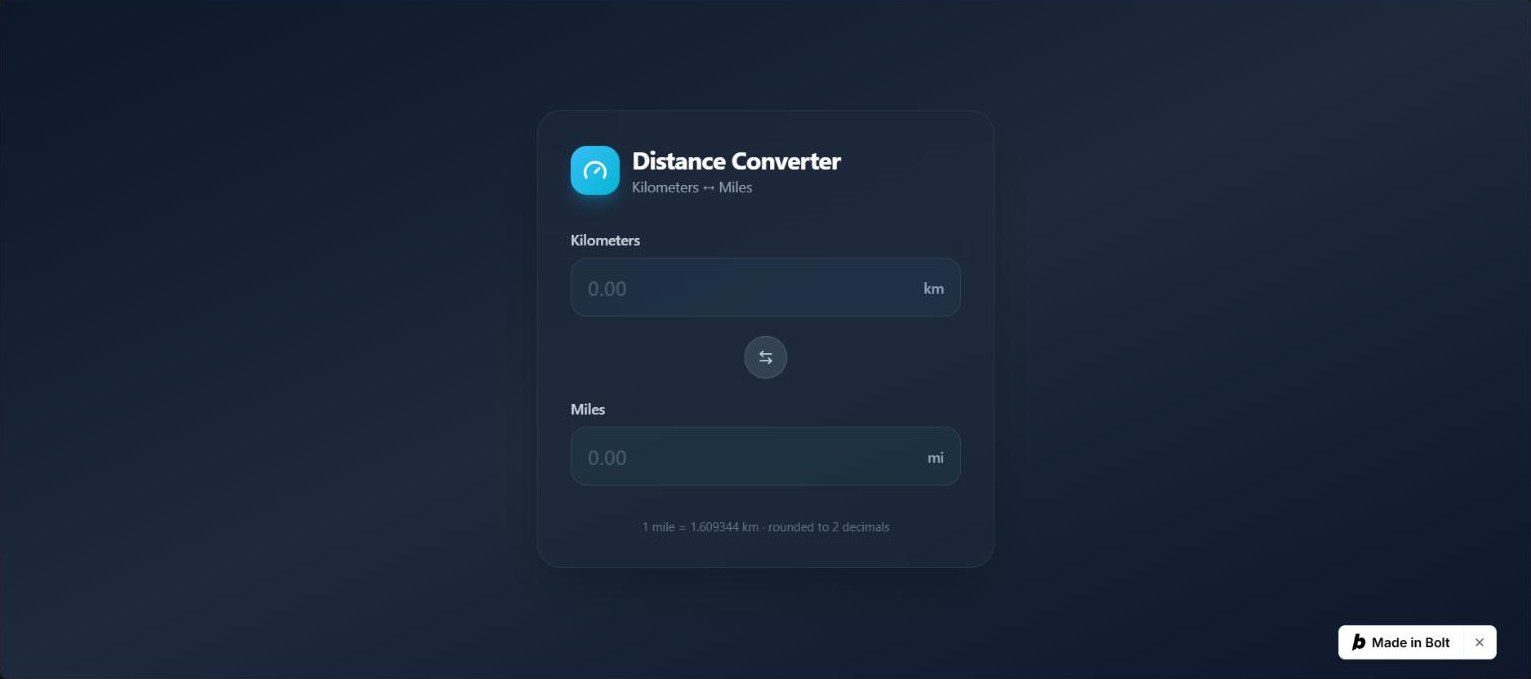
Build a kilometres/miles converter with two linked fields: typing in one updates the other, rounded to 2 decimals (1 mile = 1.609344 km). Invalid input must not show NaN. No login, no backend, no external services.
// src/App.tsx
import { useState } from 'react';
import { ArrowLeftRight, Gauge } from 'lucide-react';
const MILES_TO_KM = 1.609344;
function format(value: number): string {
return value.toFixed(2);
}
export default function App() {
const [km, setKm] = useState('');
const [mi, setMi] = useState('');
function handleKm(raw: string) {
setKm(raw);
const parsed = parseFloat(raw);
if (raw.trim() === '' || isNaN(parsed)) {
setMi('');
return;
}
setMi(format(parsed / MILES_TO_KM));
}
function handleMi(raw: string) {
setMi(raw);
const parsed = parseFloat(raw);
if (raw.trim() === '' || isNaN(parsed)) {
setKm('');
return;
}
setKm(format(parsed * MILES_TO_KM));
}
function swap() {
const currentMi = mi;
setMi(km);
handleMi(currentMi);
}
return (
<div className="min-h-screen bg-gradient-to-br from-slate-900 via-slate-800 to-slate-900 flex items-center justify-center p-6">
<div className="w-full max-w-md">
<div className="bg-slate-800/50 backdrop-blur-xl rounded-3xl shadow-2xl border border-slate-700/50 p-8">
<div className="flex items-center gap-3 mb-8">
<div className="w-12 h-12 rounded-2xl bg-gradient-to-br from-sky-400 to-cyan-500 flex items-center justify-center shadow-lg shadow-sky-500/30">
<Gauge className="w-6 h-6 text-white" strokeWidth={2.5} />
</div>
<div>
<h1 className="text-2xl font-bold text-white tracking-tight">Distance Converter</h1>
<p className="text-sm text-slate-400">Kilometers ↔ Miles</p>
</div>
</div>
      <div className="space-y-5">
        <Field
          label="Kilometers"
          unit="km"
          value={km}
          onChange={handleKm}
          accent="sky"
        />

        <div className="flex justify-center">
          <button
            onClick={swap}
            className="group w-10 h-10 rounded-full bg-slate-700 hover:bg-slate-600 flex items-center justify-center transition-all hover:scale-110 active:scale-95 ring-1 ring-slate-600"
            aria-label="Swap units"
          >
            <ArrowLeftRight className="w-4 h-4 text-slate-300 group-hover:text-white transition-colors" />
          </button>
        </div>

        <Field
          label="Miles"
          unit="mi"
          value={mi}
          onChange={handleMi}
          accent="cyan"
        />
      </div>

      <p className="mt-8 text-center text-xs text-slate-500">
        1 mile = 1.609344 km · rounded to 2 decimals
      </p>
    </div>
  </div>
</div>
);
}
interface FieldProps {
label: string;
unit: string;
value: string;
onChange: (v: string) => void;
accent: 'sky' | 'cyan';
}
function Field({ label, unit, value, onChange, accent }: FieldProps) {
const accentClasses =
accent === 'sky'
? 'focus-within:border-sky-400 focus-within:ring-sky-400/20 bg-sky-400/5'
: 'focus-within:border-cyan-400 focus-within:ring-cyan-400/20 bg-cyan-400/5';
return (
<label className="block">
<span className="block text-sm font-medium text-slate-300 mb-2">{label}</span>
<div
className={flex items-center rounded-2xl border border-slate-700 px-4 py-3.5 ring-4 ring-transparent transition-all ${accentClasses}}
>
<input
type="text"
inputMode="decimal"
value={value}
onChange={(e) => onChange(e.target.value)}
placeholder="0.00"
className="flex-1 bg-transparent text-xl font-semibold text-white placeholder:text-slate-600 outline-none w-full"
/>
<span className="text-sm font-medium text-slate-400 ml-2 select-none">{unit}</span>
</div>
</label>
);
}
Build a Pomodoro timer: it shows 25:00, with Start, Pause and Reset buttons, and a Short break button that sets it to 05:00. The time counts down once per second while running. No login, no backend, no external services.
// src/App.tsx
import { useState, useEffect, useRef, useCallback } from 'react';
import { Play, Pause, RotateCcw, Coffee, Timer as TimerIcon } from 'lucide-react';
type Mode = 'focus' | 'break';
const DURATIONS: Record<Mode, number> = {
focus: 25 * 60,
break: 5 * 60,
};
function formatTime(seconds: number): string {
const m = Math.floor(seconds / 60);
const s = seconds % 60;
return ${String(m).padStart(2, '0')}:${String(s).padStart(2, '0')};
}
export default function App() {
const [mode, setMode] = useState<Mode>('focus');
const [secondsLeft, setSecondsLeft] = useState(DURATIONS.focus);
const [isRunning, setIsRunning] = useState(false);
const intervalRef = useRef<ReturnType<typeof setInterval> | null>(null);
const clearTick = useCallback(() => {
if (intervalRef.current) {
clearInterval(intervalRef.current);
intervalRef.current = null;
}
}, []);
useEffect(() => {
if (!isRunning) {
clearTick();
return;
}
intervalRef.current = setInterval(() => {
  setSecondsLeft((prev) => {
    if (prev <= 1) {
      clearTick();
      setIsRunning(false);
      return 0;
    }
    return prev - 1;
  });
}, 1000);

return clearTick;
}, [isRunning, clearTick]);
const switchMode = (next: Mode) => {
clearTick();
setIsRunning(false);
setMode(next);
setSecondsLeft(DURATIONS[next]);
};
const handleStart = () => setIsRunning(true);
const handlePause = () => setIsRunning(false);
const handleReset = () => {
clearTick();
setIsRunning(false);
setSecondsLeft(DURATIONS[mode]);
};
const progress = ((DURATIONS[mode] - secondsLeft) / DURATIONS[mode]) * 100;
const isFocus = mode === 'focus';
const RADIUS = 140;
const CIRCUMFERENCE = 2 * Math.PI * RADIUS;
const dashOffset = CIRCUMFERENCE - (progress / 100) * CIRCUMFERENCE;
return (
<div
className={min-h-screen flex flex-col items-center justify-center transition-colors duration-700 ${ isFocus ? 'bg-gradient-to-br from-rose-950 via-stone-900 to-stone-950' : 'bg-gradient-to-br from-emerald-950 via-teal-950 to-stone-950' }}
>
<div className="flex flex-col items-center gap-10 px-6">
{/* Mode pills */}
<div className="flex gap-2 rounded-full bg-white/5 p-1.5 backdrop-blur-sm border border-white/10">
<button
onClick={() => switchMode('focus')}
className={flex items-center gap-2 rounded-full px-5 py-2.5 text-sm font-medium transition-all duration-300 ${ isFocus ? 'bg-rose-500 text-white shadow-lg shadow-rose-500/30' : 'text-stone-400 hover:text-white' }}
>
<TimerIcon className="h-4 w-4" />
Focus
</button>
<button
onClick={() => switchMode('break')}
className={flex items-center gap-2 rounded-full px-5 py-2.5 text-sm font-medium transition-all duration-300 ${ !isFocus ? 'bg-emerald-500 text-white shadow-lg shadow-emerald-500/30' : 'text-stone-400 hover:text-white' }}
>
<Coffee className="h-4 w-4" />
Short Break
</button>
</div>
    {/* Timer ring */}
    <div className="relative">
      <svg
        width="320"
        height="320"
        viewBox="0 0 320 320"
        className="-rotate-90"
      >
        <circle
          cx="160"
          cy="160"
          r={RADIUS}
          fill="none"
          stroke="rgba(255,255,255,0.08)"
          strokeWidth="12"
        />
        <circle
          cx="160"
          cy="160"
          r={RADIUS}
          fill="none"
          stroke={isFocus ? '#f43f5e' : '#10b981'}
          strokeWidth="12"
          strokeLinecap="round"
          strokeDasharray={CIRCUMFERENCE}
          strokeDashoffset={dashOffset}
          className="transition-[stroke-dashoffset] duration-1000 ease-linear"
        />
      </svg>
      <div className="absolute inset-0 flex flex-col items-center justify-center">
        <span className="text-7xl font-bold tabular-nums text-white tracking-tight">
          {formatTime(secondsLeft)}
        </span>
        <span className="mt-2 text-sm font-medium uppercase tracking-widest text-stone-400">
          {isFocus ? 'Time to Focus' : 'Take a Break'}
        </span>
      </div>
    </div>

    {/* Controls */}
    <div className="flex items-center gap-4">
      {!isRunning ? (
        <button
          onClick={handleStart}
          className="group flex h-16 w-16 items-center justify-center rounded-full bg-white text-stone-900 shadow-xl transition-all duration-300 hover:scale-105 hover:shadow-2xl active:scale-95"
          aria-label="Start"
        >
          <Play className="h-7 w-7 translate-x-0.5 fill-current" />
        </button>
      ) : (
        <button
          onClick={handlePause}
          className="group flex h-16 w-16 items-center justify-center rounded-full bg-white text-stone-900 shadow-xl transition-all duration-300 hover:scale-105 hover:shadow-2xl active:scale-95"
          aria-label="Pause"
        >
          <Pause className="h-7 w-7 fill-current" />
        </button>
      )}

      <button
        onClick={handleReset}
        className="flex h-14 w-14 items-center justify-center rounded-full bg-white/10 text-white backdrop-blur-sm border border-white/10 transition-all duration-300 hover:bg-white/20 hover:scale-105 active:scale-95"
        aria-label="Reset"
      >
        <RotateCcw className="h-6 w-6" />
      </button>
    </div>

    {/* Short break quick button */}
    <button
      onClick={() => switchMode('break')}
      className="flex items-center gap-2 rounded-full border border-white/10 bg-white/5 px-6 py-3 text-sm font-medium text-stone-300 backdrop-blur-sm transition-all duration-300 hover:bg-white/10 hover:text-white"
    >
      <Coffee className="h-4 w-4" />
      Short Break — 05:00
    </button>
  </div>
</div>
);
}

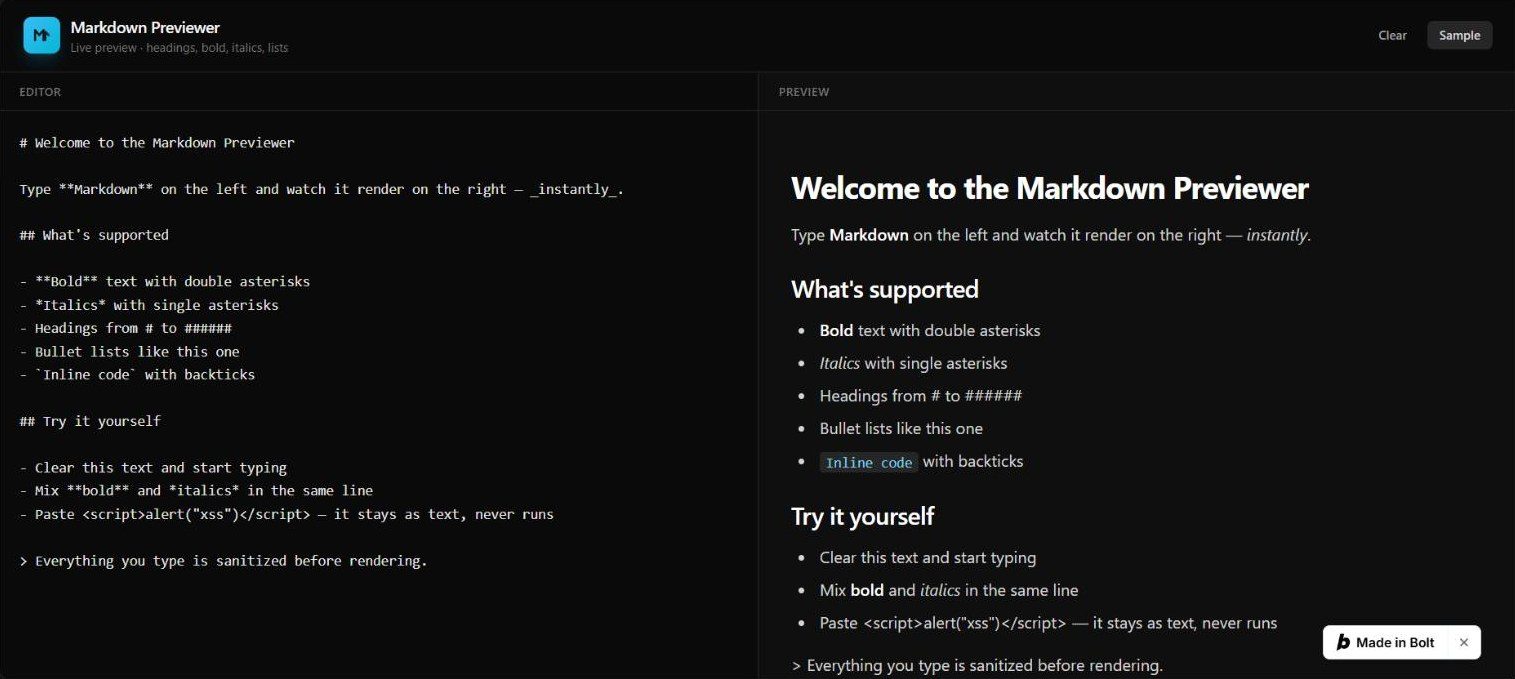
Build a Markdown previewer: a text area on the left, the rendered preview on the right, updating as the user types. It must support headings, bold, italics and bullet lists, and must not run any HTML or script the user types. No login, no backend, no external services.
// src/App.tsx
import { useState, useMemo } from 'react';
import { renderMarkdown } from '@/lib/markdown';
const SAMPLE = `# Welcome to the Markdown Previewer
Type Markdown on the left and watch it render on the right — instantly.
What's supported
Try it yourself
Everything you type is sanitized before rendering.`;
function App() {
const [text, setText] = useState(SAMPLE);
const rendered = useMemo(() => renderMarkdown(text), [text]);
return (
<div className="min-h-screen bg-neutral-950 text-neutral-100 flex flex-col">
{/* Header */}
<header className="border-b border-neutral-800 px-6 py-4 flex items-center gap-3">
<div className="flex items-center gap-2.5">
<div className="w-9 h-9 rounded-lg bg-gradient-to-br from-sky-400 to-cyan-500 flex items-center justify-center shadow-lg shadow-sky-500/20">
<svg viewBox="0 0 24 24" fill="none" className="w-5 h-5 text-neutral-900" stroke="currentColor" strokeWidth="2.5" strokeLinecap="round" strokeLinejoin="round">
<path d="M4 18V6l5 6 5-6v12" />
<path d="M16 18V8l4 4" />
</svg>
</div>
<div>
<h1 className="text-base font-semibold tracking-tight">Markdown Previewer</h1>
<p className="text-xs text-neutral-500">Live preview · headings, bold, italics, lists</p>
</div>
</div>
<div className="ml-auto flex items-center gap-2">
<button
onClick={() => setText('')}
className="text-xs font-medium text-neutral-400 hover:text-neutral-100 px-3 py-1.5 rounded-md hover:bg-neutral-800 transition-colors"
>
Clear
</button>
<button
onClick={() => setText(SAMPLE)}
className="text-xs font-medium text-neutral-300 hover:text-white px-3 py-1.5 rounded-md bg-neutral-800 hover:bg-neutral-700 transition-colors"
>
Sample
</button>
</div>
</header>
  {/* Split panes */}
  <div className="flex-1 flex flex-col lg:flex-row min-h-0">
    {/* Editor */}
    <section className="flex-1 flex flex-col min-h-0 border-b lg:border-b-0 lg:border-r border-neutral-800">
      <div className="px-5 py-2.5 border-b border-neutral-800 flex items-center gap-2">
        <span className="text-[11px] font-semibold uppercase tracking-wider text-neutral-500">Editor</span>
      </div>
      <textarea
        value={text}
        onChange={(e) => setText(e.target.value)}
        spellCheck={false}
        placeholder="Type Markdown here..."
        className="flex-1 w-full bg-neutral-950 text-neutral-200 font-mono text-sm leading-relaxed p-5 resize-none outline-none placeholder:text-neutral-600"
      />
    </section>

    {/* Preview */}
    <section className="flex-1 flex flex-col min-h-0 bg-neutral-900/40">
      <div className="px-5 py-2.5 border-b border-neutral-800 flex items-center gap-2">
        <span className="text-[11px] font-semibold uppercase tracking-wider text-neutral-500">Preview</span>
      </div>
      <div className="flex-1 overflow-auto p-6 lg:p-8">
        <div
          className="markdown-body max-w-2xl"
          dangerouslySetInnerHTML={{ __html: rendered }}
        />
        {rendered.trim() === '' && (
          <p className="text-neutral-600 text-sm">Your rendered Markdown will appear here.</p>
        )}
      </div>
    </section>
  </div>
</div>
);
}
export default App;
// src/lib/markdown.ts
function escapeHtml(text: string): string {
return text
.replace(/&/g, '&')
.replace(/</g, '<')
.replace(/>/g, '>')
.replace(/"/g, '"')
.replace(/'/g, ''');
}
function applyInline(text: string): string {
let result = text;
// Bold: text or text
result = result.replace(/**(^\s*?)**/g, '<strong>$1</strong>');
result = result.replace(/(^\s_?)/g, '<strong>$1</strong>');
// Italics: text or text (avoid matching bold already handled)
result = result.replace(/(^|[^])*([^\s][^]?)*(?!*)/g, '$1<em>$2</em>');
result = result.replace(/(^|[^])([^\s_][^]*?)(?!_)/g, '$1<em>$2</em>');
// Inline code: code
result = result.replace(/([^]+)`/g, '<code>$1</code>');
return result;
}
export function renderMarkdown(input: string): string {
const lines = input.replace(/\r\n/g, '\n').split('\n');
const html: string[] = [];
let inList = false;
const closeList = () => {
if (inList) {
html.push('</ul>');
inList = false;
}
};
for (const rawLine of lines) {
const line = rawLine;
// Headings
const headingMatch = line.match(/^(#{1,6})\s+(.*)$/);
if (headingMatch) {
  closeList();
  const level = headingMatch[1].length;
  const content = applyInline(escapeHtml(headingMatch[2].trim()));
  html.push(`<h${level}>${content}</h${level}>`);
  continue;
}

// Bullet list items: -, *, or + followed by space
const bulletMatch = line.match(/^\s*[-*+]\s+(.*)$/);
if (bulletMatch) {
  if (!inList) {
    html.push('<ul>');
    inList = true;
  }
  const content = applyInline(escapeHtml(bulletMatch[1].trim()));
  html.push(`<li>${content}</li>`);
  continue;
}

// Blank line
if (line.trim() === '') {
  closeList();
  continue;
}

// Regular paragraph line
closeList();
const content = applyInline(escapeHtml(line.trim()));
html.push(`<p>${content}</p>`);
}
closeList();
return html.join('\n');
}
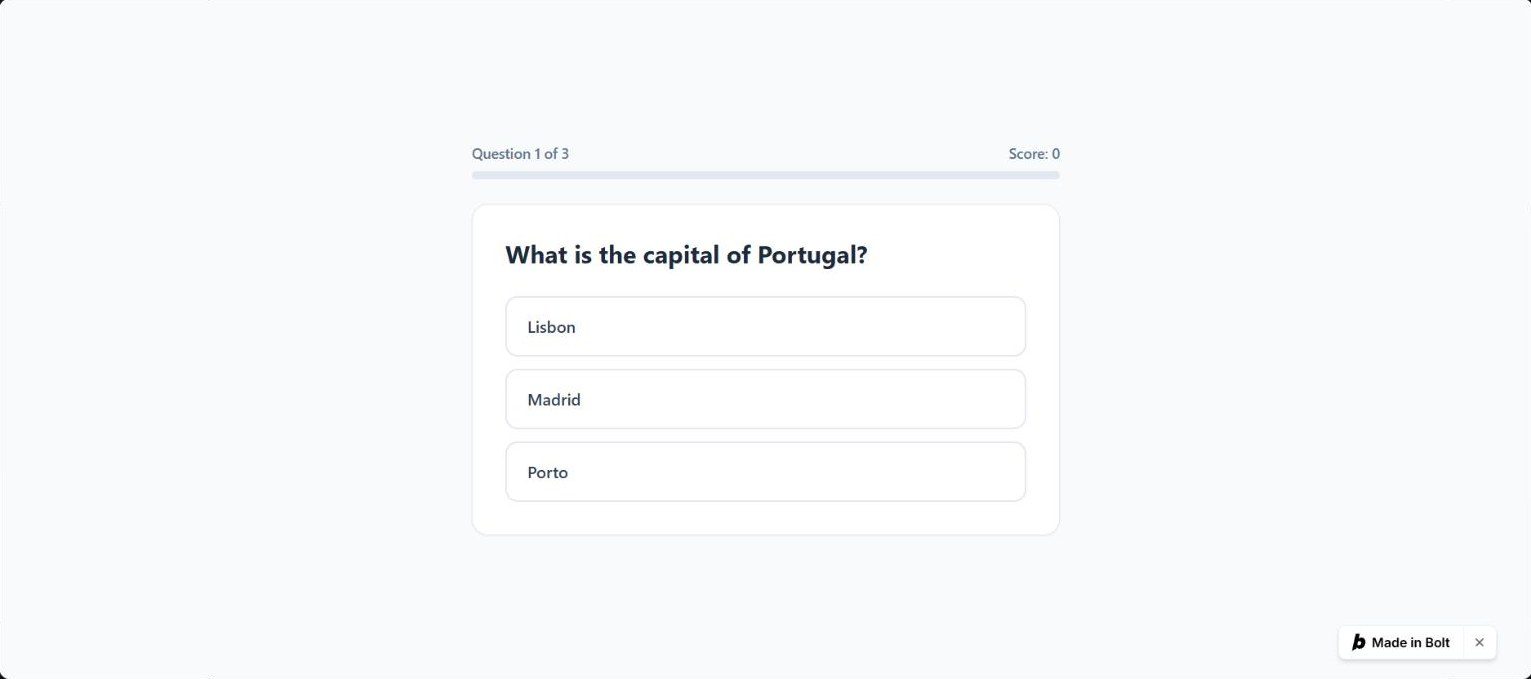
Build a quiz with these three multiple-choice questions, one at a time, then show the score like "2/3" and a Restart button. 1. What is the capital of Portugal? Lisbon, Madrid, Porto (answer: Lisbon) 2. What is 7 x 8? 54, 56, 64 (answer: 56) 3. Which is the largest planet? Mars, Jupiter, Venus (answer: Jupiter) No login, no backend, no external services.
// src/App.tsx
import { useState } from 'react';
import { RotateCcw, Check, X } from 'lucide-react';
type Question = {
prompt: string;
choices: string[];
answer: string;
};
const QUESTIONS: Question[] = [
{
prompt: 'What is the capital of Portugal?',
choices: ['Lisbon', 'Madrid', 'Porto'],
answer: 'Lisbon',
},
{
prompt: 'What is 7 x 8?',
choices: ['54', '56', '64'],
answer: '56',
},
{
prompt: 'Which is the largest planet?',
choices: ['Mars', 'Jupiter', 'Venus'],
answer: 'Jupiter',
},
];
export default function App() {
const [currentIndex, setCurrentIndex] = useState(0);
const [selected, setSelected] = useState<string | null>(null);
const [score, setScore] = useState(0);
const [finished, setFinished] = useState(false);
const question = QUESTIONS[currentIndex];
function handleSelect(choice: string) {
if (selected !== null) return;
setSelected(choice);
if (choice === question.answer) {
setScore((s) => s + 1);
}
}
function handleNext() {
if (currentIndex + 1 >= QUESTIONS.length) {
setFinished(true);
} else {
setCurrentIndex((i) => i + 1);
setSelected(null);
}
}
function handleRestart() {
setCurrentIndex(0);
setSelected(null);
setScore(0);
setFinished(false);
}
if (finished) {
return <ScoreScreen score={score} total={QUESTIONS.length} onRestart={handleRestart} />;
}
const progress = ((currentIndex + (selected !== null ? 1 : 0)) / QUESTIONS.length) * 100;
return (
<div className="min-h-screen bg-slate-50 flex items-center justify-center p-4">
<div className="w-full max-w-xl">
{/* Progress */}
<div className="mb-6">
<div className="flex justify-between text-sm font-medium text-slate-500 mb-2">
<span>Question {currentIndex + 1} of {QUESTIONS.length}</span>
<span>Score: {score}</span>
</div>
<div className="h-2 rounded-full bg-slate-200 overflow-hidden">
<div
className="h-full bg-teal-500 rounded-full transition-all duration-500 ease-out"
style={{ width: ${progress}% }}
/>
</div>
</div>
    {/* Card */}
    <div className="bg-white rounded-2xl shadow-sm border border-slate-200 p-8">
      <h1 className="text-2xl font-bold text-slate-800 mb-6 leading-snug">
        {question.prompt}
      </h1>

      <div className="space-y-3">
        {question.choices.map((choice) => {
          const isCorrect = choice === question.answer;
          const isSelected = choice === selected;
          const reveal = selected !== null;

          let stateClass = 'border-slate-200 hover:border-teal-400 hover:bg-teal-50';
          if (reveal && isCorrect) {
            stateClass = 'border-teal-500 bg-teal-50';
          } else if (reveal && isSelected && !isCorrect) {
            stateClass = 'border-rose-500 bg-rose-50';
          } else if (reveal) {
            stateClass = 'border-slate-200 opacity-60';
          }

          return (
            <button
              key={choice}
              onClick={() => handleSelect(choice)}
              disabled={reveal}
              className={`w-full text-left px-5 py-4 rounded-xl border-2 transition-all duration-200 flex items-center justify-between ${stateClass} ${!reveal ? 'cursor-pointer' : 'cursor-default'}`}
            >
              <span className="font-medium text-slate-700">{choice}</span>
              {reveal && isCorrect && <Check className="w-5 h-5 text-teal-600" />}
              {reveal && isSelected && !isCorrect && <X className="w-5 h-5 text-rose-500" />}
            </button>
          );
        })}
      </div>

      {selected !== null && (
        <div className="mt-6 flex items-center justify-between">
          <p className="text-sm font-medium text-slate-600">
            {selected === question.answer ? 'Correct!' : `Answer: ${question.answer}`}
          </p>
          <button
            onClick={handleNext}
            className="px-6 py-2.5 bg-teal-600 text-white rounded-lg font-semibold hover:bg-teal-700 transition-colors"
          >
            {currentIndex + 1 >= QUESTIONS.length ? 'See Results' : 'Next'}
          </button>
        </div>
      )}
    </div>
  </div>
</div>
);
}
function ScoreScreen({ score, total, onRestart }: { score: number; total: number; onRestart: () => void }) {
const percentage = Math.round((score / total) * 100);
const message =
percentage === 100 ? 'Perfect score!' : percentage >= 66 ? 'Great job!' : percentage >= 33 ? 'Not bad!' : 'Keep practicing!';
return (
<div className="min-h-screen bg-slate-50 flex items-center justify-center p-4">
<div className="w-full max-w-xl">
<div className="bg-white rounded-2xl shadow-sm border border-slate-200 p-10 text-center">
<p className="text-sm font-semibold text-teal-600 uppercase tracking-wide mb-2">{message}</p>
<p className="text-6xl font-bold text-slate-800 mb-1">
{score}<span className="text-slate-300">/{total}</span>
</p>
<p className="text-slate-500 mb-8">{percentage}% correct</p>
      <button
        onClick={onRestart}
        className="inline-flex items-center gap-2 px-6 py-3 bg-teal-600 text-white rounded-xl font-semibold hover:bg-teal-700 transition-colors"
      >
        <RotateCcw className="w-4 h-4" />
        Restart
      </button>
    </div>
  </div>
</div>
);
}
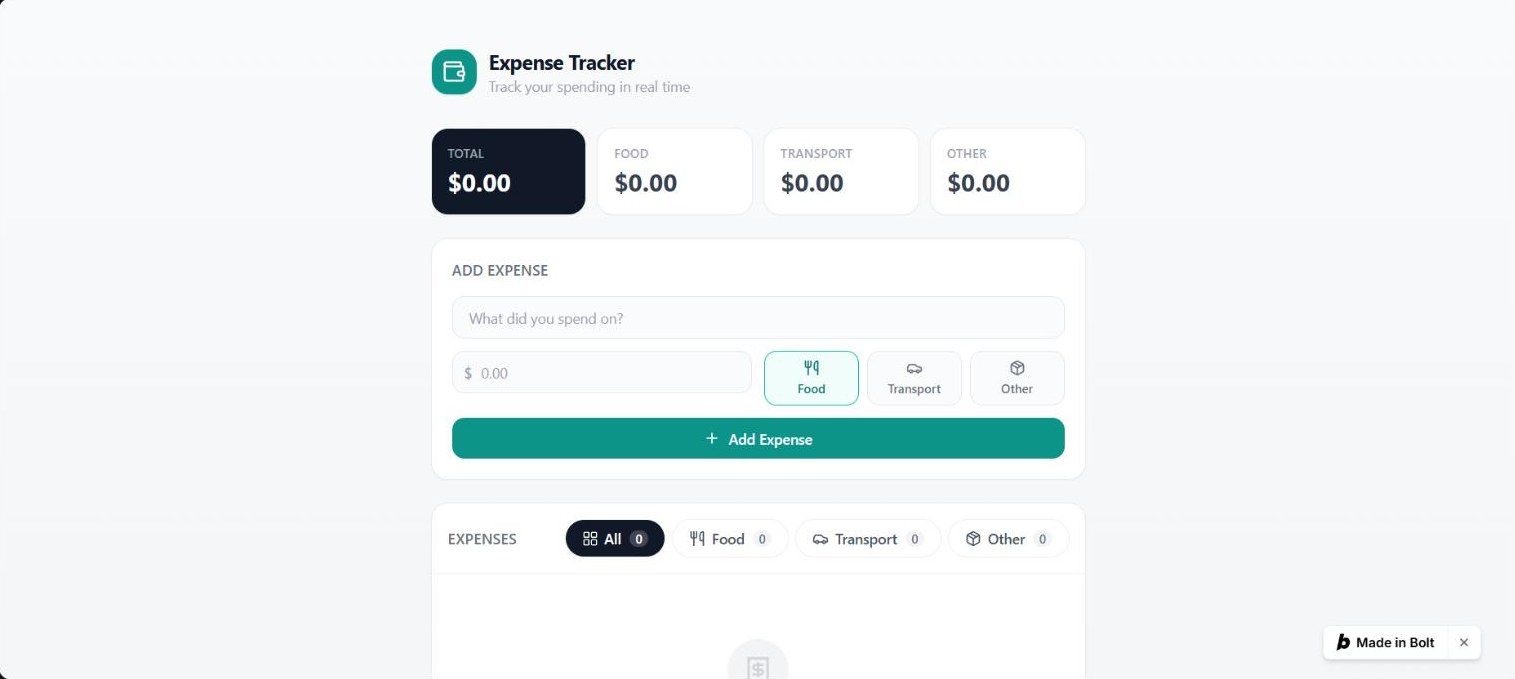
Build an expense tracker. The user adds an expense with a description, an amount and a category (Food, Transport or Other). Show the list, a total of the listed expenses, a category filter (All, Food, Transport, Other) that also changes the total, and a delete button per expense. No login, no backend, no external services.
// App.tsx
import { useMemo, useState } from 'react';
import { Wallet } from 'lucide-react';
import type { Category, Expense, Filter } from '@/types';
import ExpenseForm from '@/components/ExpenseForm';
import CategoryFilter from '@/components/CategoryFilter';
import ExpenseList from '@/components/ExpenseList';
let idCounter = 0;
const genId = () => exp_${Date.now()}_${idCounter++};
const CATEGORIES: Category[] = ['Food', 'Transport', 'Other'];
function App() {
const [expenses, setExpenses] = useState<Expense[]>([]);
const [filter, setFilter] = useState<Filter>('All');
const handleAdd = (
description: string,
amount: number,
category: Category,
) => {
setExpenses((prev) => [
{ id: genId(), description, amount, category, createdAt: Date.now() },
...prev,
]);
};
const handleDelete = (id: string) => {
setExpenses((prev) => prev.filter((e) => e.id !== id));
};
const counts = useMemo(() => {
const c: Record<Filter, number> = {
All: expenses.length,
Food: 0,
Transport: 0,
Other: 0,
};
for (const e of expenses) c[e.category]++;
return c;
}, [expenses]);
const visibleExpenses = useMemo(() => {
if (filter === 'All') return expenses;
return expenses.filter((e) => e.category === filter);
}, [expenses, filter]);
const total = useMemo(
() => visibleExpenses.reduce((sum, e) => sum + e.amount, 0),
[visibleExpenses],
);
const categoryTotals = useMemo(() => {
const map: Record<Category, number> = {
Food: 0,
Transport: 0,
Other: 0,
};
for (const e of expenses) map[e.category] += e.amount;
return map;
}, [expenses]);
return (
<div className="min-h-screen bg-gradient-to-b from-gray-50 to-gray-100">
<div className="mx-auto max-w-2xl px-4 py-8 sm:py-12">
{/* Header */}
<header className="mb-8 flex items-center gap-3">
<div className="flex h-11 w-11 items-center justify-center rounded-2xl bg-teal-600 shadow-sm shadow-teal-600/20">
<Wallet className="h-6 w-6 text-white" />
</div>
<div>
<h1 className="text-xl font-bold tracking-tight text-gray-900">
Expense Tracker
</h1>
<p className="text-sm text-gray-400">
Track your spending in real time
</p>
</div>
</header>
    {/* Summary cards */}
    <div className="mb-6 grid grid-cols-2 gap-3 sm:grid-cols-4">
      <div className="rounded-2xl bg-gray-900 p-4 text-white shadow-sm">
        <p className="text-xs font-medium uppercase tracking-wide text-gray-400">
          {filter === 'All' ? 'Total' : `Total · ${filter}`}
        </p>
        <p className="mt-1 text-2xl font-bold tabular-nums">
          ${total.toFixed(2)}
        </p>
      </div>
      {CATEGORIES.map((cat) => (
        <div
          key={cat}
          className="rounded-2xl bg-white p-4 shadow-sm ring-1 ring-gray-200/60"
        >
          <p className="text-xs font-medium uppercase tracking-wide text-gray-400">
            {cat}
          </p>
          <p className="mt-1 text-2xl font-bold tabular-nums text-gray-700">
            ${categoryTotals[cat].toFixed(2)}
          </p>
        </div>
      ))}
    </div>

    {/* Form */}
    <div className="mb-6">
      <ExpenseForm onAdd={handleAdd} />
    </div>

    {/* List section */}
    <div className="rounded-2xl bg-white shadow-sm ring-1 ring-gray-200/60">
      <div className="flex flex-col gap-4 border-b border-gray-100 p-4 sm:flex-row sm:items-center sm:justify-between">
        <h2 className="text-sm font-semibold uppercase tracking-wide text-gray-500">
          Expenses
        </h2>
        <CategoryFilter
          current={filter}
          onChange={setFilter}
          counts={counts}
        />
      </div>
      <ExpenseList expenses={visibleExpenses} onDelete={handleDelete} />
    </div>

    <footer className="mt-8 text-center text-xs text-gray-300">
      Data is kept in memory and will reset when you leave this page.
    </footer>
  </div>
</div>
);
}
export default App;
// types.ts
export type Category = 'Food' | 'Transport' | 'Other';
export type Expense = {
id: string;
description: string;
amount: number;
category: Category;
createdAt: number;
};
export type Filter = 'All' | Category;
// ExpenseForm.tsx
import { useState } from 'react';
import { Plus, Utensils, Car, Package } from 'lucide-react';
import type { Category } from '@/types';
const CATEGORIES: { value: Category; label: string }[] = [
{ value: 'Food', label: 'Food' },
{ value: 'Transport', label: 'Transport' },
{ value: 'Other', label: 'Other' },
];
const CATEGORY_ICONS: Record<Category, typeof Utensils> = {
Food: Utensils,
Transport: Car,
Other: Package,
};
type ExpenseFormProps = {
onAdd: (description: string, amount: number, category: Category) => void;
};
export default function ExpenseForm({ onAdd }: ExpenseFormProps) {
const [description, setDescription] = useState('');
const [amount, setAmount] = useState('');
const [category, setCategory] = useState<Category>('Food');
const [error, setError] = useState('');
const handleSubmit = (e: React.FormEvent) => {
e.preventDefault();
const trimmed = description.trim();
const parsed = parseFloat(amount);
if (!trimmed) {
  setError('Please enter a description.');
  return;
}
if (isNaN(parsed) || parsed <= 0) {
  setError('Please enter a valid amount.');
  return;
}

onAdd(trimmed, Math.round(parsed * 100) / 100, category);
setDescription('');
setAmount('');
setCategory('Food');
setError('');
};
return (
<form
onSubmit={handleSubmit}
className="rounded-2xl bg-white p-5 shadow-sm ring-1 ring-gray-200/60"
>
<h2 className="mb-4 text-sm font-semibold uppercase tracking-wide text-gray-500">
Add Expense
</h2>
  <div className="flex flex-col gap-3">
    <div>
      <label htmlFor="description" className="sr-only">
        Description
      </label>
      <input
        id="description"
        type="text"
        value={description}
        onChange={(e) => {
          setDescription(e.target.value);
          if (error) setError('');
        }}
        placeholder="What did you spend on?"
        className="w-full rounded-xl border border-gray-200 bg-gray-50/80 px-4 py-2.5 text-sm text-gray-900 placeholder-gray-400 transition focus:border-teal-500 focus:bg-white focus:outline-none focus:ring-2 focus:ring-teal-500/20"
      />
    </div>

    <div className="flex flex-col gap-3 sm:flex-row">
      <div className="sm:w-1/2">
        <label htmlFor="amount" className="sr-only">
          Amount
        </label>
        <div className="relative">
          <span className="pointer-events-none absolute left-3 top-1/2 -translate-y-1/2 text-sm font-medium text-gray-400">
            $
          </span>
          <input
            id="amount"
            type="number"
            step="0.01"
            min="0"
            value={amount}
            onChange={(e) => {
              setAmount(e.target.value);
              if (error) setError('');
            }}
            placeholder="0.00"
            className="w-full rounded-xl border border-gray-200 bg-gray-50/80 py-2.5 pl-7 pr-4 text-sm text-gray-900 placeholder-gray-400 transition focus:border-teal-500 focus:bg-white focus:outline-none focus:ring-2 focus:ring-teal-500/20"
          />
        </div>
      </div>

      <div className="sm:w-1/2">
        <label htmlFor="category" className="sr-only">
          Category
        </label>
        <div className="grid grid-cols-3 gap-2">
          {CATEGORIES.map(({ value, label }) => {
            const Icon = CATEGORY_ICONS[value];
            const active = category === value;
            return (
              <button
                key={value}
                type="button"
                onClick={() => setCategory(value)}
                className={`flex flex-col items-center justify-center gap-1 rounded-xl border px-2 py-2 text-xs font-medium transition ${
                  active
                    ? 'border-teal-500 bg-teal-50 text-teal-700'
                    : 'border-gray-200 bg-gray-50/80 text-gray-500 hover:border-gray-300 hover:bg-gray-100'
                }`}
              >
                <Icon className="h-4 w-4" />
                {label}
              </button>
            );
          })}
        </div>
      </div>
    </div>

    {error && <p className="text-sm text-red-500">{error}</p>}

    <button
      type="submit"
      className="flex items-center justify-center gap-2 rounded-xl bg-teal-600 px-4 py-2.5 text-sm font-semibold text-white shadow-sm transition hover:bg-teal-700 active:scale-[0.99]"
    >
      <Plus className="h-4 w-4" />
      Add Expense
    </button>
  </div>
</form>
);
}
// ExpenseList.tsx
import { Trash2, Utensils, Car, Package, Receipt } from 'lucide-react';
import type { Expense } from '@/types';
const CATEGORY_META: {
Food: { icon: typeof Utensils; color: string; bg: string };
Transport: { icon: typeof Car; color: string; bg: string };
Other: { icon: typeof Package; color: string; bg: string };
} = {
Food: { icon: Utensils, color: 'text-amber-600', bg: 'bg-amber-50' },
Transport: { icon: Car, color: 'text-sky-600', bg: 'bg-sky-50' },
Other: { icon: Package, color: 'text-gray-600', bg: 'bg-gray-100' },
};
type ExpenseListProps = {
expenses: Expense[];
onDelete: (id: string) => void;
};
export default function ExpenseList({ expenses, onDelete }: ExpenseListProps) {
if (expenses.length === 0) {
return (
<div className="flex flex-col items-center justify-center py-16 text-center">
<div className="mb-3 rounded-full bg-gray-100 p-4">
<Receipt className="h-7 w-7 text-gray-300" />
</div>
<p className="text-sm font-medium text-gray-400">No expenses yet</p>
<p className="mt-1 text-xs text-gray-300">
Add your first expense above to get started.
</p>
</div>
);
}
return (
<ul className="divide-y divide-gray-100">
{expenses.map((expense) => {
const meta = CATEGORY_META[expense.category];
const Icon = meta.icon;
return (
<li
key={expense.id}
className="group flex items-center gap-3 px-4 py-3.5 transition hover:bg-gray-50/60"
>
<div
className={flex h-10 w-10 flex-shrink-0 items-center justify-center rounded-xl ${meta.bg}}
>
<Icon className={h-5 w-5 ${meta.color}} />
</div>
        <div className="min-w-0 flex-1">
          <p className="truncate text-sm font-medium text-gray-900">
            {expense.description}
          </p>
          <p className="text-xs text-gray-400">{expense.category}</p>
        </div>

        <span className="flex-shrink-0 text-sm font-semibold text-gray-900">
          ${expense.amount.toFixed(2)}
        </span>

        <button
          onClick={() => onDelete(expense.id)}
          aria-label="Delete expense"
          className="flex-shrink-0 rounded-lg p-2 text-gray-300 transition hover:bg-red-50 hover:text-red-500 active:scale-95"
        >
          <Trash2 className="h-4 w-4" />
        </button>
      </li>
    );
  })}
</ul>
);
}
// CategoryFilter.tsx
import { LayoutGrid, Utensils, Car, Package } from 'lucide-react';
import type { Filter } from '@/types';
const FILTERS: { value: Filter; label: string; icon: typeof Utensils }[] = [
{ value: 'All', label: 'All', icon: LayoutGrid },
{ value: 'Food', label: 'Food', icon: Utensils },
{ value: 'Transport', label: 'Transport', icon: Car },
{ value: 'Other', label: 'Other', icon: Package },
];
type CategoryFilterProps = {
current: Filter;
onChange: (filter: Filter) => void;
counts: Record<Filter, number>;
};
export default function CategoryFilter({
current,
onChange,
counts,
}: CategoryFilterProps) {
return (
<div className="flex flex-wrap gap-2">
{FILTERS.map(({ value, label, icon: Icon }) => {
const active = current === value;
return (
<button
key={value}
onClick={() => onChange(value)}
className={flex items-center gap-1.5 rounded-full px-4 py-2 text-sm font-medium transition ${ active ? 'bg-gray-900 text-white shadow-sm' : 'bg-white text-gray-600 ring-1 ring-gray-200/60 hover:bg-gray-50' }}
>
<Icon className="h-4 w-4" />
{label}
<span
className={ml-0.5 rounded-full px-1.5 text-xs ${ active ? 'bg-white/20 text-white' : 'bg-gray-100 text-gray-500' }}
>
{counts[value] ?? 0}
</span>
</button>
);
})}
</div>
);
}
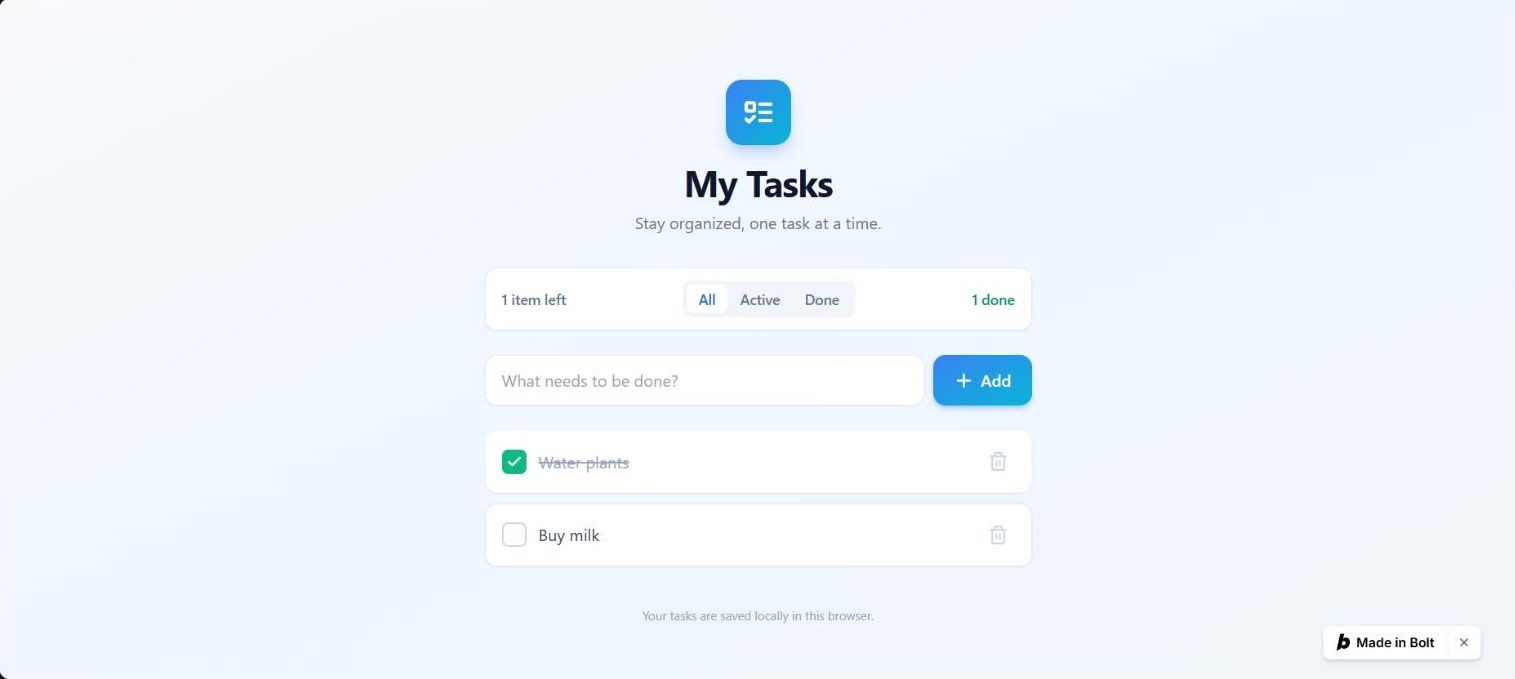
Add filter buttons All, Active and Done to the to-do list, and a counter that says how many items are left, like "1 item left" or "2 items left". Keep everything that already works.
// src/App.tsx (after the change)
import { useState, useEffect } from 'react';
import { Check, Trash2, Plus, ListTodo } from 'lucide-react';
type Todo = {
id: string;
text: string;
done: boolean;
createdAt: number;
};
const STORAGE_KEY = 'bolt-todos';
function loadTodos(): Todo[] {
try {
const raw = localStorage.getItem(STORAGE_KEY);
if (!raw) return [];
const parsed = JSON.parse(raw) as Todo[];
if (!Array.isArray(parsed)) return [];
return parsed;
} catch {
return [];
}
}
export default function App() {
const [todos, setTodos] = useState<Todo[]>(() => loadTodos());
const [input, setInput] = useState('');
useEffect(() => {
localStorage.setItem(STORAGE_KEY, JSON.stringify(todos));
}, [todos]);
const addTodo = () => {
const text = input.trim();
if (!text) return;
const newTodo: Todo = {
id: crypto.randomUUID(),
text,
done: false,
createdAt: Date.now(),
};
setTodos((prev) => [newTodo, ...prev]);
setInput('');
};
const toggleTodo = (id: string) => {
setTodos((prev) =>
prev.map((t) => (t.id === id ? { ...t, done: !t.done } : t))
);
};
const deleteTodo = (id: string) => {
setTodos((prev) => prev.filter((t) => t.id !== id));
};
const [filter, setFilter] = useState<'all' | 'active' | 'done'>('all');
const remaining = todos.filter((t) => !t.done).length;
const completed = todos.length - remaining;
const filtered = todos.filter((t) =>
filter === 'all' ? true : filter === 'active' ? !t.done : t.done
);
return (
<div className="min-h-screen bg-gradient-to-br from-slate-50 via-blue-50 to-slate-100 text-slate-800">
<div className="mx-auto max-w-xl px-5 py-12 sm:py-20">
{/* Header */}
<header className="mb-8 text-center">
<div className="mb-4 inline-flex h-16 w-16 items-center justify-center rounded-2xl bg-gradient-to-br from-blue-500 to-cyan-500 shadow-lg shadow-blue-500/30">
<ListTodo className="h-8 w-8 text-white" strokeWidth={2.5} />
</div>
<h1 className="text-3xl font-bold tracking-tight text-slate-900 sm:text-4xl">
My Tasks
</h1>
<p className="mt-2 text-slate-500">
Stay organized, one task at a time.
</p>
</header>
    {/* Filter + counter bar */}
    {todos.length > 0 && (
      <div className="mb-6 flex flex-col items-center justify-between gap-3 rounded-xl border border-slate-200 bg-white px-4 py-3 shadow-sm sm:flex-row">
        <span className="text-sm font-medium text-slate-500">
          {remaining} {remaining === 1 ? 'item' : 'items'} left
        </span>
        <div className="inline-flex rounded-lg bg-slate-100 p-1">
          {(['all', 'active', 'done'] as const).map((f) => (
            <button
              key={f}
              onClick={() => setFilter(f)}
              className={`rounded-md px-3 py-1 text-sm font-medium capitalize transition ${
                filter === f
                  ? 'bg-white text-blue-600 shadow-sm'
                  : 'text-slate-500 hover:text-slate-700'
              }`}
            >
              {f}
            </button>
          ))}
        </div>
        <span className="hidden text-sm font-medium text-emerald-600 sm:inline">
          {completed} done
        </span>
      </div>
    )}

    {/* Add task */}
    <div className="mb-6 flex gap-2">
      <input
        type="text"
        value={input}
        onChange={(e) => setInput(e.target.value)}
        onKeyDown={(e) => {
          if (e.key === 'Enter') addTodo();
        }}
        placeholder="What needs to be done?"
        className="flex-1 rounded-xl border border-slate-200 bg-white px-4 py-3 text-base shadow-sm outline-none transition focus:border-blue-400 focus:ring-2 focus:ring-blue-100"
      />
      <button
        onClick={addTodo}
        className="inline-flex items-center gap-1.5 rounded-xl bg-gradient-to-br from-blue-500 to-cyan-500 px-5 py-3 font-semibold text-white shadow-md shadow-blue-500/30 transition hover:from-blue-600 hover:to-cyan-600 active:scale-95"
      >
        <Plus className="h-5 w-5" strokeWidth={2.5} />
        <span className="hidden sm:inline">Add</span>
      </button>
    </div>

    {/* List */}
    {todos.length === 0 ? (
      <div className="rounded-2xl border-2 border-dashed border-slate-200 bg-white/50 py-16 text-center">
        <p className="text-lg font-medium text-slate-400">No tasks yet</p>
        <p className="mt-1 text-sm text-slate-400">
          Add your first task above to get started.
        </p>
      </div>
    ) : filtered.length === 0 ? (
      <div className="rounded-2xl border-2 border-dashed border-slate-200 bg-white/50 py-12 text-center">
        <p className="text-base font-medium text-slate-400">
          No {filter === 'active' ? 'active' : 'completed'} tasks
        </p>
      </div>
    ) : (
      <ul className="space-y-2.5">
        {filtered.map((todo) => (
          <li
            key={todo.id}
            className={`group flex items-center gap-3 rounded-xl border bg-white px-4 py-3.5 shadow-sm transition hover:shadow-md ${
              todo.done
                ? 'border-slate-100 bg-slate-50/60'
                : 'border-slate-200'
            }`}
          >
            {/* Toggle button */}
            <button
              onClick={() => toggleTodo(todo.id)}
              aria-label={todo.done ? 'Mark as not done' : 'Mark as done'}
              className={`flex h-6 w-6 shrink-0 items-center justify-center rounded-md border-2 transition ${
                todo.done
                  ? 'border-emerald-500 bg-emerald-500 text-white'
                  : 'border-slate-300 text-transparent hover:border-blue-400'
              }`}
            >
              <Check className="h-4 w-4" strokeWidth={3} />
            </button>

            {/* Text */}
            <span
              className={`flex-1 text-base ${
                todo.done
                  ? 'text-slate-400 line-through'
                  : 'text-slate-700'
              }`}
            >
              {todo.text}
            </span>

            {/* Delete */}
            <button
              onClick={() => deleteTodo(todo.id)}
              aria-label="Delete task"
              className="shrink-0 rounded-lg p-1.5 text-slate-300 transition hover:bg-red-50 hover:text-red-500 group-hover:text-slate-400"
            >
              <Trash2 className="h-5 w-5" />
            </button>
          </li>
        ))}
      </ul>
    )}

    {/* Footer */}
    <footer className="mt-10 text-center text-xs text-slate-400">
      Your tasks are saved locally in this browser.
    </footer>
  </div>
</div>
);
}

The free plan gives you 1 million tokens per month with a daily limit of 300,000. You can invite up to three collaborators and upload files up to 10MB. The free tier includes website hosting and unlimited databases, but your projects will display Bolt branding. Web requests are capped at 333,000 per month. pricing pageSource · vendor pagePricing page (bolt.new), checked Nov 20, 2026.Go to sources ↓
Paying for the Pro plan at $25/month removes the daily token limit and increases your monthly allowance to start at 10 million tokens. Unused tokens roll over to the next month, and you can add unlimited collaborators. The Pro plan also removes Bolt branding, allows private sharing, and supports custom domains. File uploads increase to 100MB, and web requests rise to 1 million. The Teams plan at $30/month per user adds centralized billing and admin controls. pricing pageSource · vendor pagePricing page (bolt.new), checked Nov 20, 2026.Go to sources ↓
We tested the free tier hands-on in the app on 2026-09-29 9.5Our test · free tierBuild a tip calculator: 9.5/10, 5 of 5 checks passed.Read the answer ↓. On the tip calculator task, the free tier scored 9.5/10 9.5Our test · free tierBuild a tip calculator: 9.5/10, 5 of 5 checks passed.Read the answer ↓. On the to-do list task, it scored 9.8/10 9.8Our test · free tierBuild a to-do list that remembers: 9.8/10, 6 of 6 checks passed.Read the answer ↓. On the unit converter task, it scored 9.8/10 9.8Our test · free tierBuild a unit converter: 9.8/10, 4 of 4 checks passed.Read the answer ↓. On the focus timer task, it scored 9.5/10 9.5Our test · free tierBuild a focus timer: 9.5/10, 6 of 6 checks passed.Read the answer ↓. On the markdown previewer task, it scored 9.3/10 9.3Our test · free tierBuild a safe Markdown previewer: 9.3/10, 5 of 5 checks passed.Read the answer ↓. On the quiz task, it scored 9.9/10 9.9Our test · free tierBuild a three-question quiz: 9.9/10, 4 of 4 checks passed.Read the answer ↓. On the expense tracker task, it scored 9.7/10 9.7Our test · free tierBuild an expense tracker: 9.7/10, 5 of 5 checks passed.Read the answer ↓. On the existing app modification task, it scored 9.8/10 9.8Our test · free tierChange an existing app: 9.8/10, 5 of 5 checks passed.Read the answer ↓.
If you are a casual user or building small prototypes, the free plan is likely sufficient. For professional use, the Pro plan offers the necessary capacity and features to scale your projects without interruption.
Some users report that the free tier's token limits can be restrictive for larger projects Product HuntUser report · positive · Product HuntPosted Jun 16, 2026See the report ↓. A few people mention that support tickets can go unanswered for long periods RedditUser report · negative · Redditr/boltnewbuilders, posted May 23, 2026See the report ↓. Several users praise the quality of the generated code and the ease of use RedditUser report · positive · Redditr/boltnewbuilders, posted Jan 15, 2026See the report ↓. Some users note that the AI can sometimes overwrite environment files or struggle with complex state management RedditUser report · negative · Redditr/boltnewbuilders, posted Jan 18, 2026See the report ↓. Others report issues with GitHub synchronization and reliability during peak times RedditUser report · negative · Redditr/boltnewbuilders, posted Jun 12, 2026See the report ↓.
Some users report that the free tier's token limits can be restrictive for larger projects.
Been using bolt for internal tools and quick prototypes on our team. The "made this in two hours" energy is so real lol. The moment it just works end to end is genuinely addictive. Token anxiety is the only thing keeping me from going fully all-in.
Several users praise the quality of the generated code and the ease of use.
chrome extension to copy UI from live websites into your Bolt project i built this chrome extension that allows me to copy any component I like in a live website into my Bolt projects with magical accuracy - insanely better than sharing screenshots. …
A few people mention that support tickets can go unanswered for long periods.
Bolt Support = non-existent support Is there anyone actually answering the suppoort tickets being submitted? …
Some users note that the AI can sometimes overwrite environment files or struggle with complex state management.
bolt overwriting env file Website feature ifself reads from supabase url that I set very well, but whenever there is an issue and I ask something to bolt in plan mode or built mode, it gets info from the wrong url. …
Others report issues with GitHub synchronization and reliability during peak times.
… I think I've got a problem between github and bolt.new as well with changes not saving. I even tried to bring down another verson from github but that won't load either. Has anyone else had this type of problem? …
Replit has a free Starter plan with daily agent credits and limited published apps. This free tier supports light coding usage without requiring a paid subscription.
Cursor's Plus plan costs $8/month, which is lower than Bolt's $25/month Pro plan. It also offers a free tier with limited AI usage.
GitHub Copilot Pro costs $10/month, which is lower than Bolt's $25/month Pro plan price.
Windsurf Pro costs $20/month, which is lower than Bolt's $25/month Pro plan price.
Lovable Pro is $25/month, matching Bolt's $25/month Pro plan price exactly.
v0's Plus plan is $30/month, close to Bolt's $25/month. It provides $30 of included monthly credits per user.
The free plan includes 1 million tokens a month, with a daily limit of 300,000. Free plan tokens don't roll over.
On paid plans, yes. Unused tokens from your monthly allowance stay in your balance for up to two months, as long as your paid subscription is active. Free plan tokens don't roll over.
Yes, anytime. Your plan and unused tokens stay active until your current billing period ends, then your account moves to the Free plan.
The Teams plan includes everything in Pro plus centralized billing, team settings, and granular admin controls for collaboration.
The "Visit" buttons go through shouldipay.ai/go/ and may be affiliate links, so we may earn a commission if you subscribe. Commissions never decide a verdict: the evidence on this page does. Verdicts are drafted with AI from the vendors' own pricing and documentation pages and, for this verdict, our own tests shown on this page and public user reports we link to, and checked automatically against those sources before they are published; a person reviews first verdicts, changed answers and anything the checks flag. Affiliate disclosure